Regain Control of Your Data
Why I moved from a mainstream cloud drive to a self-hosted solution and why you might want to wait.
Three years ago, I had a bad experience with an EPUB file that was flagged as illegal by my mainstream cloud drive. The file became inaccessible both through their web interface and on my laptop.
The provider can decide to restrict or delete your files without your permission.
Every now and then, you hear stories like this.
Sure, we can understand these automated measures given the massive volume of files they host. But what that truly means is that you don’t have full control over your data.
That’s why I decided to move all my data from that mainstream cloud drive to Proton Drive.
This worked pretty well, but something was still missing.

There was still one small village resisting: my photos.
And for a simple reason, there was no viable alternative.
iCloud: Locks you into the Apple ecosystem. No, thank you.
Proton Photos: It was very barebones. Just a single page displaying all your photos, with no albums, no sharing, no map, no archiving… nothing.
They now have albums, but it is still far from being a mature solution.
Every other solution I found fell short.
And then, there was light: Immich.
This project was the key to finally migrating all my data away from third-party cloud providers.
I’ll go into detail about Immich in a future post; for now, let’s just say it is the perfect photos app alternative—and it’s free!
With that final blocker gone, I could migrate everything to my own self-hosted solution!
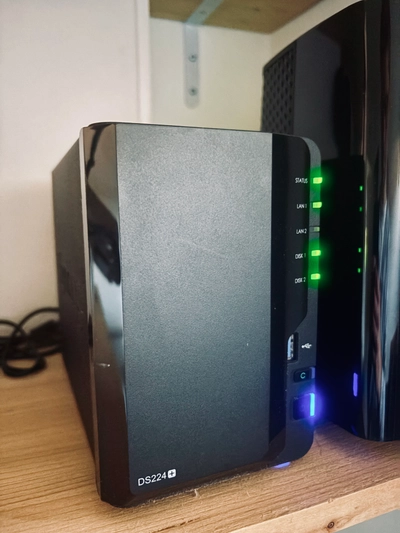
Setting it up isn’t too difficult, but it does require some basic IT skills. Specifically, my setup consists of a Synology NAS with two SSDs.
Why SSDs in a NAS? HDDs work, but they are slower and noisy (that constant clicking sound is really annoying).
I chose the Synology DS224+ (though it has now been succeeded by the DS225+) for around 350€.
For storage, I bought two 2TB Crucial MX500 SSDs at 165€ each. And that is where the problem lies today, as Amazon currently prices them at a staggering 650€ each…
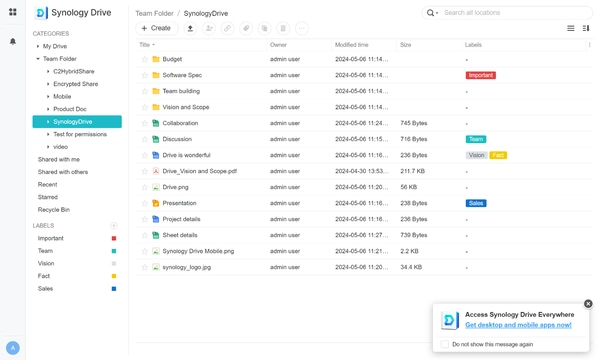
While it isn’t as polished as the mainstream cloud drives, it offers all the same core functionalities. Personally, I don’t use the web interface; I only use the desktop client.
Also, since the NAS is right in your home, you can mount it directly on your laptop as a local network drive.
The migration process is straightforward: just export all files from your current cloud drive and copy them over.
You can also set up multiple user accounts, allowing family members to store their own files securely (my wife has migrated!).
Since it’s a full server, you can also run various applications on your NAS: web servers, Plex (for media streaming), databases, Docker containers, WordPress, and more.
The main challenge right now is SSD pricing. If I were starting today, I would probably hold off and wait a year or two (which is when prices are projected to return to normal levels).
In the meantime, you can still step away from Big Tech by switching to a privacy-focused cloud provider like Proton Drive or kDrive!